Loops and Repetition
One of the most powerful things a computer can do is repeat an action many times quickly. Instead of writing the same code over and over, you use a loop — a block of code that runs repeatedly until a condition is met. HyperXTalk has several loop types, each suited to different situations.
- Use
repeat X timesto run code a fixed number of times - Use
repeat withto loop with a counter variable - Use
repeat whileto loop until a condition becomes false - Use
repeat for eachto iterate over a list of items - Use
exit repeatto break out of a loop early
🔁 repeat X times
The simplest loop runs a fixed number of times. Use it when you know exactly how many repetitions you need:
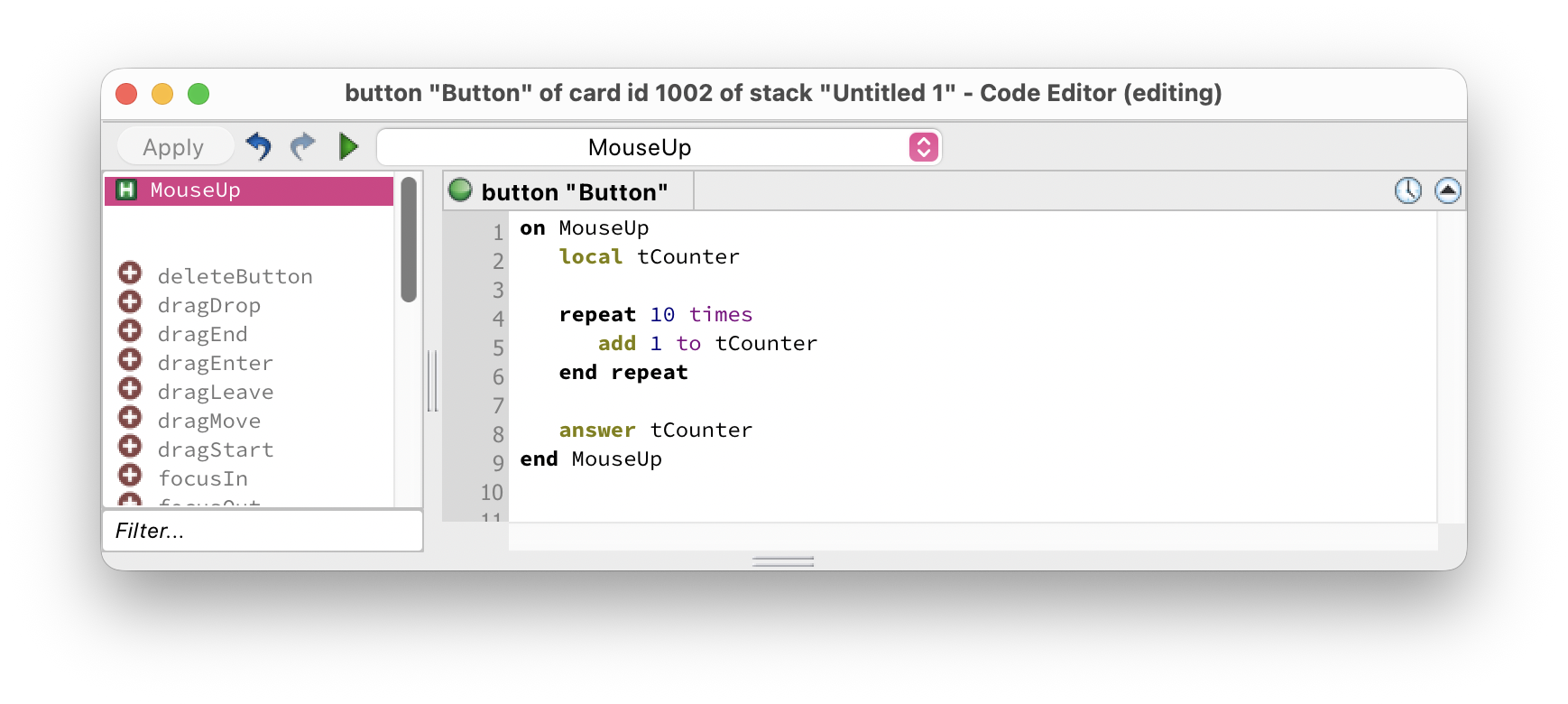
The code inside runs exactly 10 times and then execution continues after end repeat. In this case tCounter will be 10 when the dialog appears.
local tCounter at the top — this explicitly declares a local variable. In HyperXTalk this is optional (you can just use a variable without declaring it) but it's good practice as it makes your intent clear and helps the Debugger.
🔢 repeat with
repeat with gives you a counter variable that automatically increments with each iteration. It's the loop to reach for when you need to know which iteration you're on:
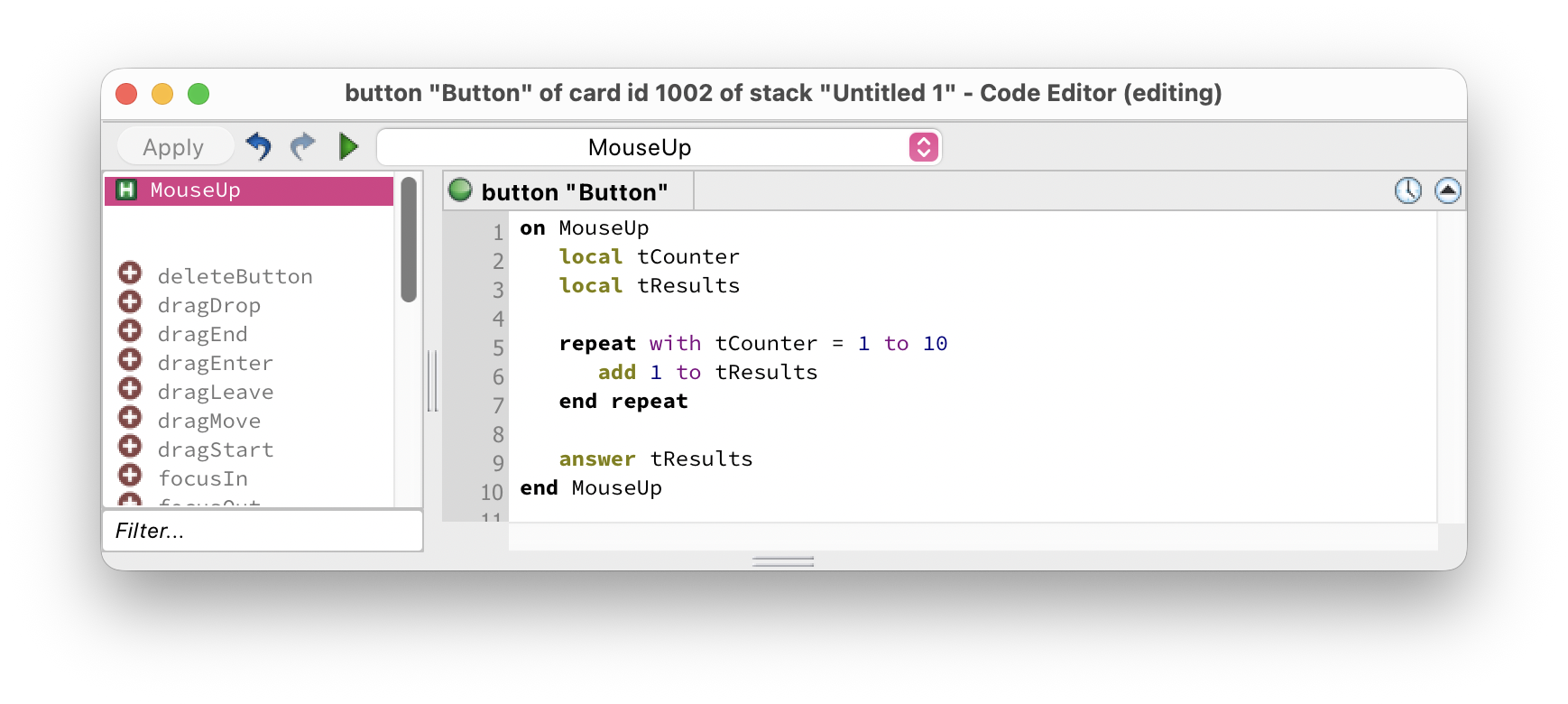
tCounter starts at 1, and after each iteration HyperXTalk automatically adds 1 to it. When it exceeds 10, the loop ends. You can use tCounter inside the loop body — for example to build a numbered list or access items by index.
You can also count down using down to:
⏳ repeat while
repeat while keeps looping as long as a condition remains true. It's the right choice when you don't know in advance how many iterations you'll need:
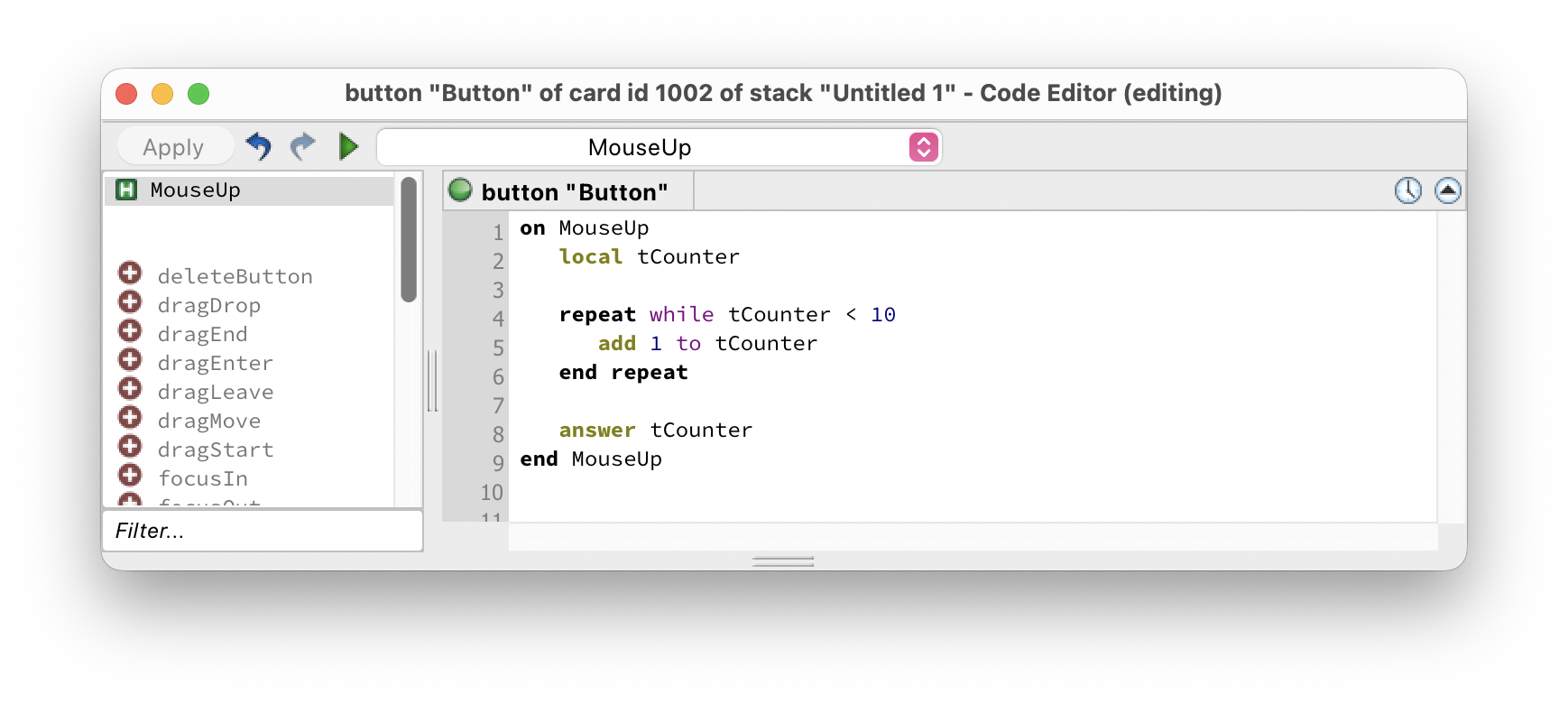
HyperXTalk checks the condition before each iteration. If it's already false when the loop starts, the body never runs at all.
📋 repeat for each
repeat for each is the most natural way to process a list. It steps through every item in a comma-separated list, assigning each one to a variable in turn:
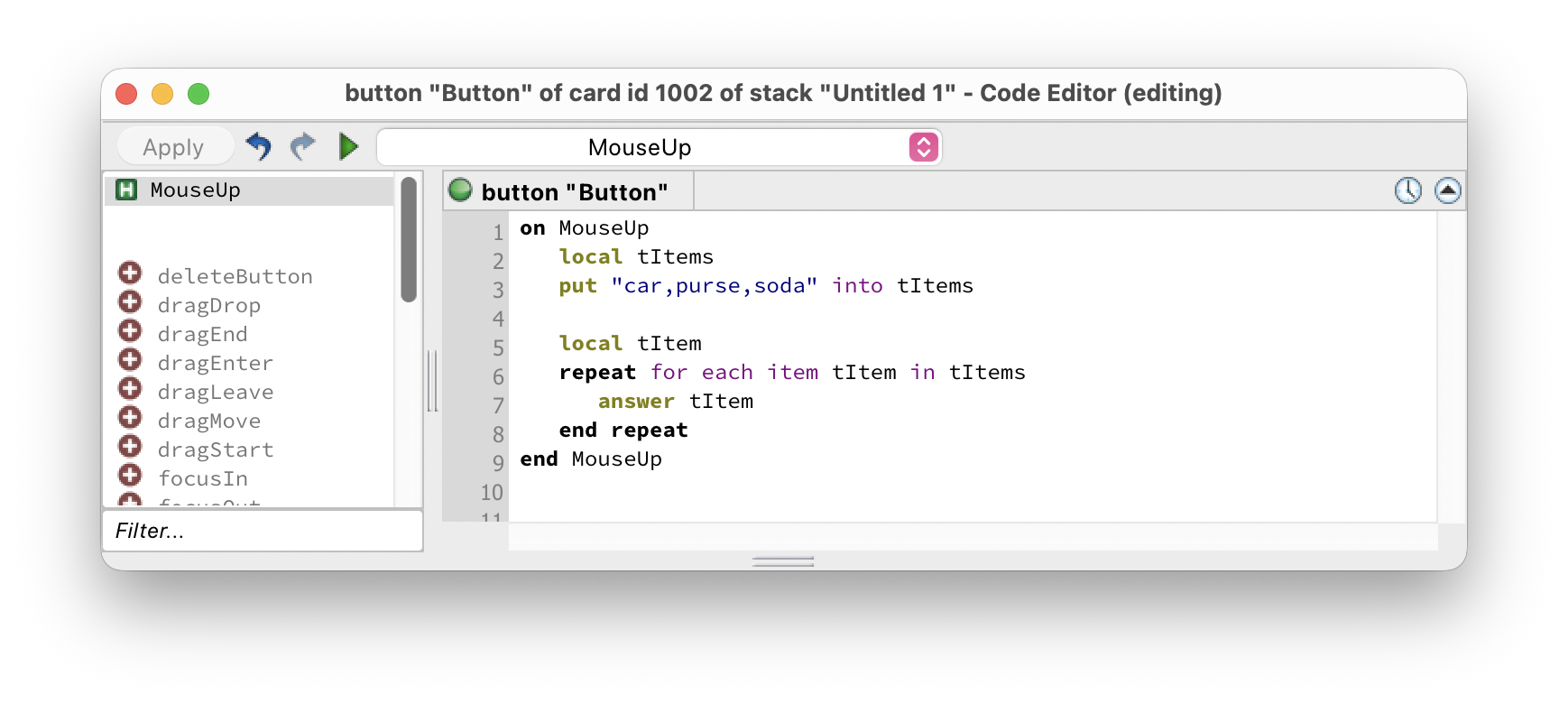
This will show three dialogs in sequence — "car", then "purse", then "soda". You can also iterate over words or lines:
🚪 exit repeat
Sometimes you need to stop a loop early — for example, when you've found what you were looking for. Use exit repeat to jump straight to the code after end repeat:
Without exit repeat, the loop would continue all the way to 100 even though we already found what we needed. Using it makes your scripts faster and more efficient.
In this exercise you'll build a times table generator using a repeat with loop. Click any thumbnail to enlarge it.
-
Create a new stack. Add a Field named
NumberInputfor the user to enter a number, a Button labelledGenerate, and a scrolling Field namedOutputwith Lock text enabled to display the results. -
Edit the script of the Generate button:
on mouseUp put the text of field "NumberInput" into tNumber if tNumber is empty then answer "Please enter a number first." exit mouseUp end if put empty into tOutput repeat with tCount = 1 to 12 put tNumber & " x " & tCount \ & " = " & (tNumber * tCount) \ & return after tOutput end repeat set the text of field "Output" to tOutput end mouseUp
repeat with loop
- Switch to Browse mode, type a number like
7and click Generate. The Output field should show the 7 times table from 1 to 12.
Bonus challenge: Add a second field where the user can enter how far the times table should go (instead of always stopping at 12). Use the text of field "LimitInput" in place of the hardcoded 12.
repeat X times — e.g. repeat 10 times. Use this when the number of repetitions is fixed and known in advance.repeat with and repeat X times?repeat with gives you a counter variable that's available inside the loop body and increments automatically. repeat X times just repeats without giving you access to which iteration you're on.repeat while check its condition — before or after each iteration?repeat for each item?"car,purse,soda". For repeat for each word it's spaces, and for repeat for each line it's return characters (line breaks).exit repeat — it immediately jumps to the code after end repeat, skipping any remaining iterations.