Conditionals and Logic
Scripts that always do the same thing aren't very useful. Real applications need to make decisions — do this if something is true, do that otherwise. In this lesson you'll learn how to use if, else, and logical operators to make your scripts intelligent.
- Use
if / then / end ifto run code conditionally - Use
elseto handle the case when a condition is false - Use
else ifto test multiple conditions in sequence - Use comparison operators to compare values
- Combine conditions with
and,or, andnot
🔀 if / then
The simplest conditional is if / then. It runs a block of code only when a condition is true, and does nothing otherwise:
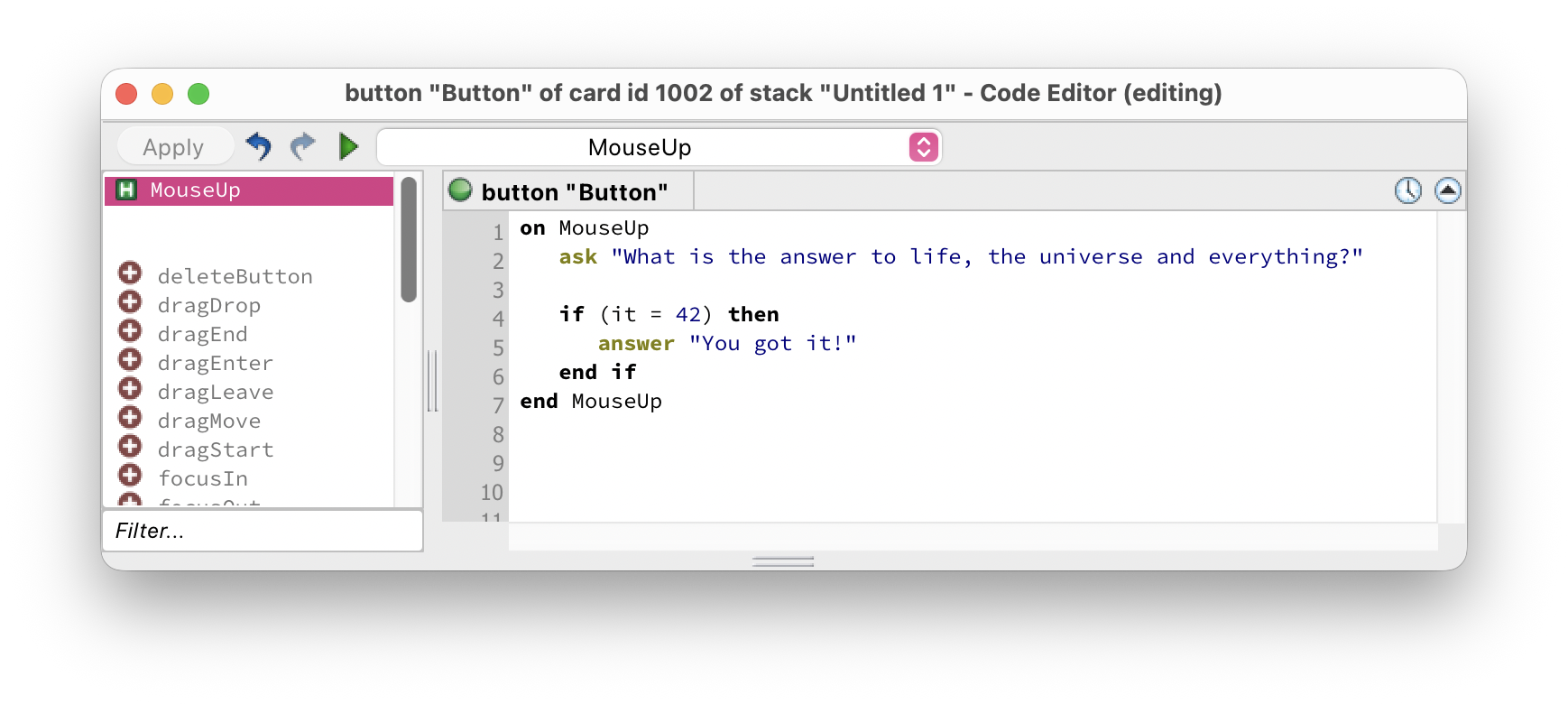
The structure is always:
if condition then
code to run
end if
If the condition is false, execution skips everything between then and end if and continues with whatever comes after.
= means equals in a condition. This is different from some other languages where you'd use ==. You can also write is instead of = — if it is 42 then reads very naturally!
↔️ if / else
Often you want to do one thing if a condition is true and something different if it's false. That's where else comes in:
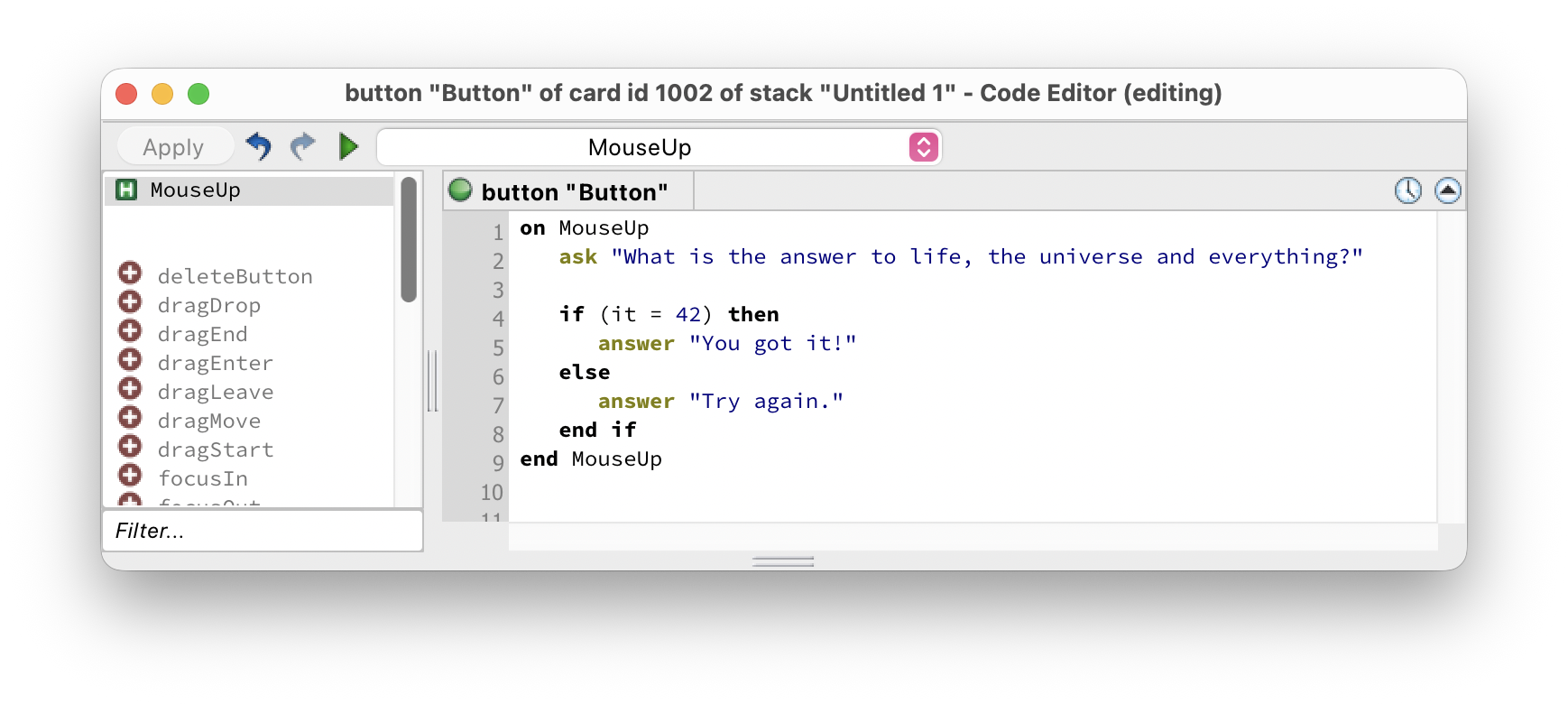
Now the script always does something — either "You got it!" or "Try again." depending on what the user typed. Exactly one of the two branches will run.
🔢 else if
When you need to test more than two possibilities, chain them together with else if:
HyperXTalk tests each condition in order from top to bottom. The moment it finds one that's true, it runs that branch and skips all the rest. If none are true, the else branch runs.
else if branches matters.
⚖️ Comparison Operators
A condition is built using a comparison operator to compare two values. HyperXTalk supports both symbolic and plain-English operators — use whichever reads most naturally:
🧠 and / or / not
You can combine multiple conditions in a single if statement using and, or, and not:
and — both conditions must be true:
or — at least one condition must be true:
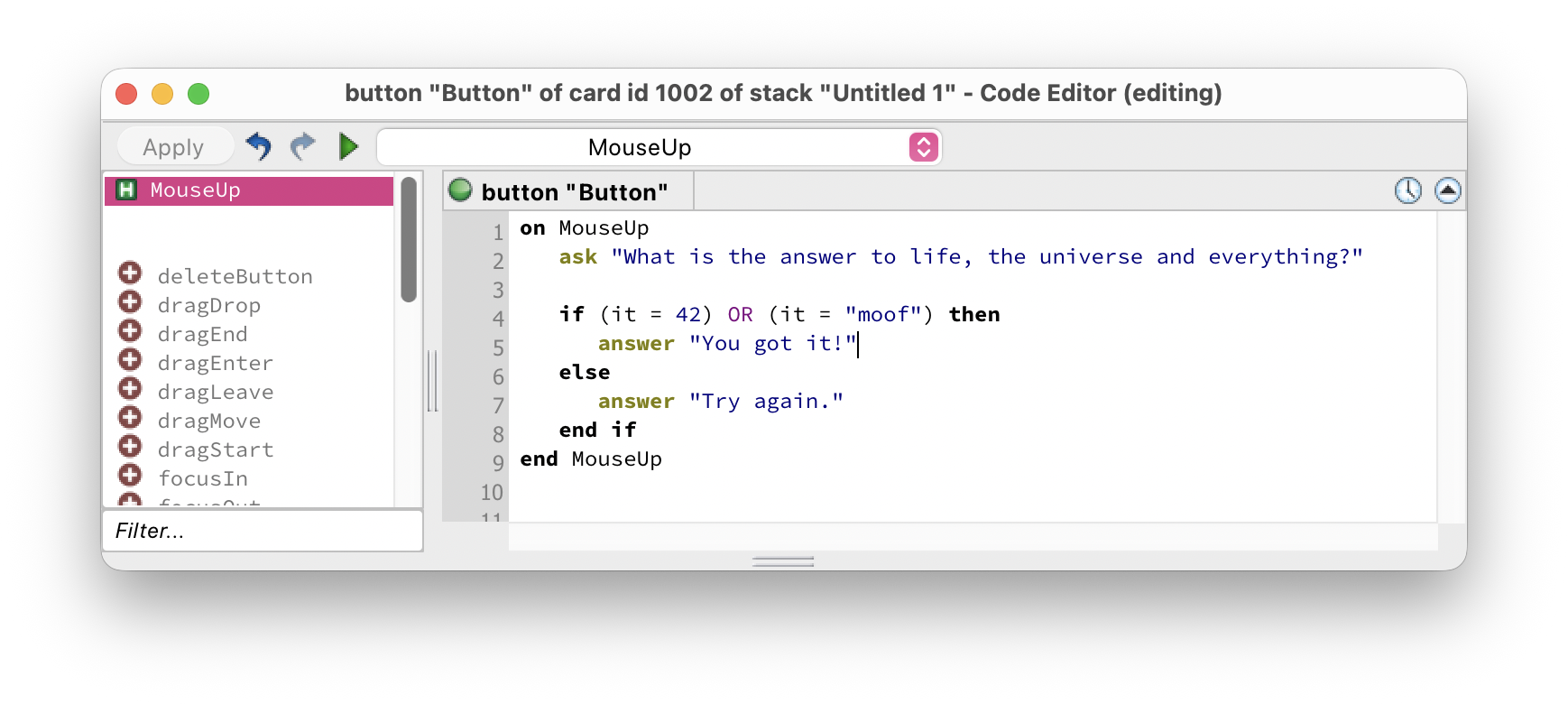
not — reverses a condition:
if (tA = 1) and (tB = 2) then is clearer than if tA = 1 and tB = 2 then.
In this exercise you'll build a simple password checker that uses conditionals to validate input. Click any thumbnail to enlarge it.
-
Create a new stack. Add a Field named
PasswordInputwith the passwordField property enabled in the Property Inspector. Add a Button labelledCheck Passwordand a Field namedResultwith Lock text enabled. -
Edit the script of the Check Password button:
on mouseUp put the text of field "PasswordInput" into tPassword if tPassword is empty then set the text of field "Result" \ to "Please enter a password." else if tPassword = "HyperXTalk" then set the text of field "Result" \ to "✅ Correct! Welcome." else set the text of field "Result" \ to "❌ Incorrect password." end if end mouseUp
if / else structure
- Switch to Browse mode and test it — try leaving the field empty, entering the wrong password, and entering
HyperXTalk. - Try each of the three cases and check the Result field updates correctly.
Bonus challenge: Add a condition that checks if the password is less than 8 characters and shows a different message — "Password too short." — before checking if it's correct. Hint: the length of tPassword returns the number of characters.
if / then statement is false and there is no else branch?then and end if and continues with the code that comes after the conditional block.and and or when combining conditions?and, both conditions must be true for the overall condition to be true. With or, at least one condition must be true — if either one is true, the block runs.if the text of field "MyField" is empty then — or store it in a variable first: put the text of field "MyField" into tValue then if tValue is empty then.if / else if / else chain, how many branches can run?else, that runs instead.= (e.g. if tScore = 100 then) or the plain English keyword is (e.g. if tScore is 100 then). Both mean exactly the same thing.